Workflows / 0:09 · Silent demo
Follow each step of a workflow run
0:00 / 0:08
The work behind the clip
Make the next step explicit.
When a workflow has several steps, a timeline can explain what is happening. This component preview shows the sequence from button press through the resulting case changes.
This preview illustrates a concept or component. Confirm availability and setup for your facility during a demo.
Explore workflowsWhat happens in the clip
- 01
Start the workflow
- 02
Follow checks and actions
- 03
Review the completed handoff
No narration. The written steps describe the on-screen sequence.
 0:09
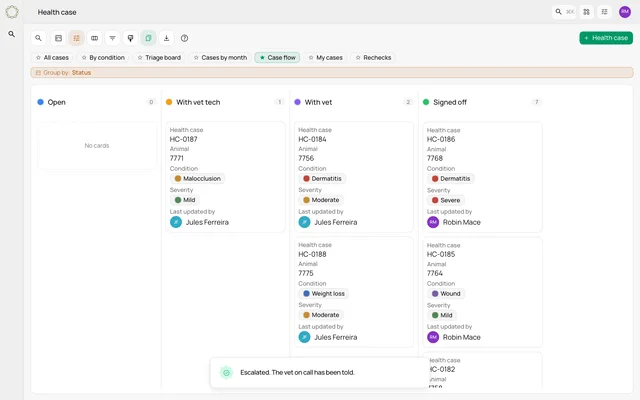
0:09Watch a case move through the handoffs
Follow one case across Open, With vet tech, With vet and Signed off as configured workflows run.
Watch the clip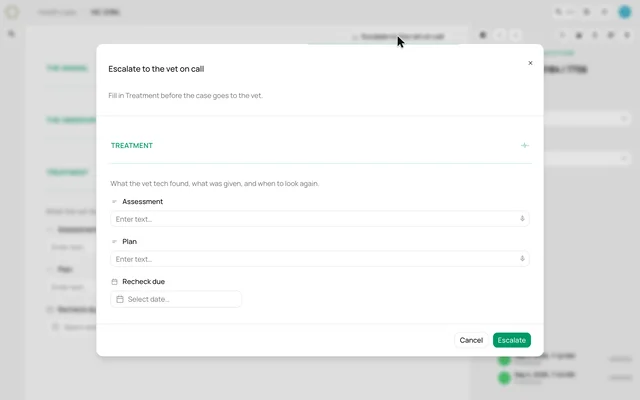 0:13
0:13Ask for the missing information before a handoff
See an escalation workflow request the treatment section before it moves the case to the vet.
Watch the clip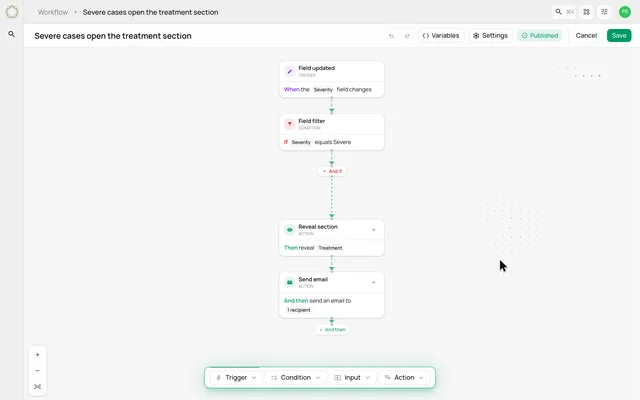 0:12
0:12Build a workflow from trigger to action
Assemble a rule that checks severity, reveals a treatment section and sends an email.
Watch the clip